Log In to Chronicler
- Go to https://chronicler.therapyshelf.com
- Enter the email and password that you used to sign up for Chronicler.
-
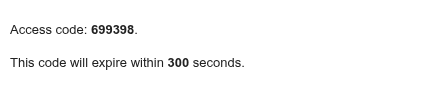
Check your email inbox for an email with the subject "Therapy Shelf access code" (example below).
-
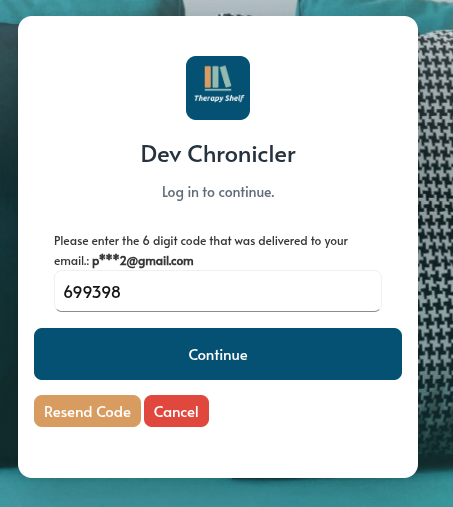
Enter that code in the login screen
-
Click "Continue" and you will be logged in.
How to log in to manage your Chronicler subscription
Go to https://store.therapyshelf.com/my-account and follow the same steps as logging into Chronicler.