Update An Existing Template
Overview
Occasionally, you may need to change the statements for a template or change a template name to something more meaningful. We’ve included instructions below to help you get started.
How to update an existing template
-
Follow the instructions in this article to load the template you wish to update.
-
Make any needed changes to the selected statements.
-
Click the “Templates” button in the upper right-hand corner.
-
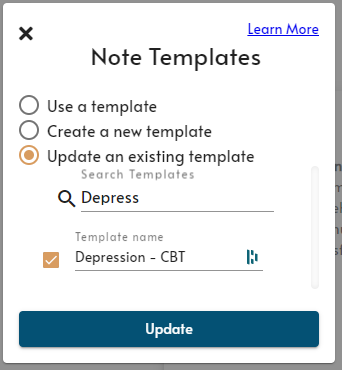
Click “Update an existing template.”
-
Select the template that you want to update (the active template is selected by default).
- You can edit the template name at this point.
-
Click “Update” and confirm your changes.
You’re all set! The template now reflects your desired changes.